
Find and Set my Username
Usernames
Usernames are required in order to use many features on TYT.com, like commenting. If you registered for a TYT account prior to a username being required, and have not yet set a username, you can do so on your Account page (See Set your Username).
Username Requirements:
- can only include lowercase letters, numbers, or underscores
- must be at least 3 characters
- must start with a letter
- Once you have set your TYT username, it cannot be changed.
Please note: The "Hi name" shown next to your profile photo is your display name, not your username.
Find your Username:
- Sign In to TYT.com or the TYT app
-
Click on the PROFILE photo in the upper right corner
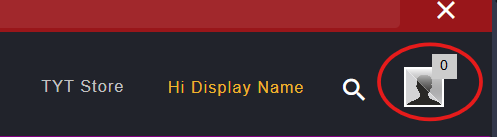
-
Your username will display next to the @ symbol.
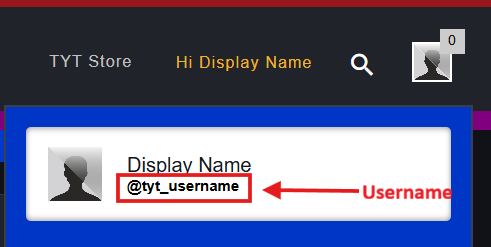
- Or, you can select SETTINGS
-
Then, select ACCOUNT
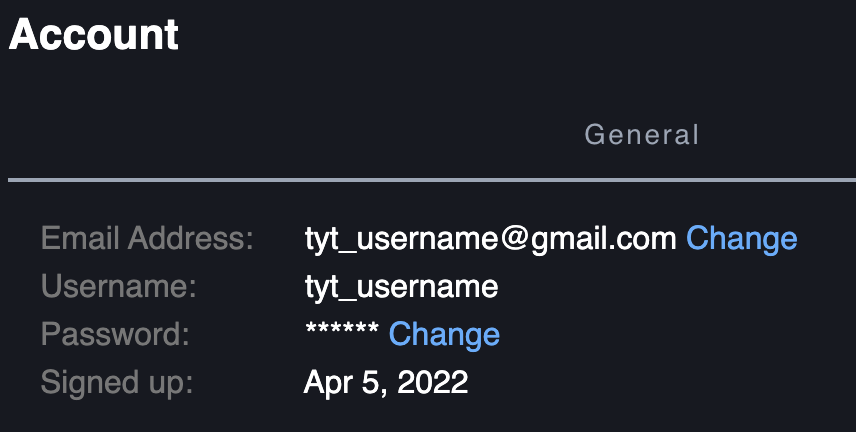
Set your Username:
- Sign In to TYT.com or the TYT app
-
Click on the PROFILE photo in the upper right corner
- Select SETTINGS
- Select ACCOUNT
-
Click on the CHOOSE A USERNAME link

-
On the Choose Username form, ENTER YOUR USERNAME

- Click SAVE

